Client work Nonprofit platform & tooling
In The Beginning
A public site, and the tooling volunteers run it with.
- Scope
- End to end
- Practice
- Design & engineering
- Delivered
- 2026
- Status
- Offline
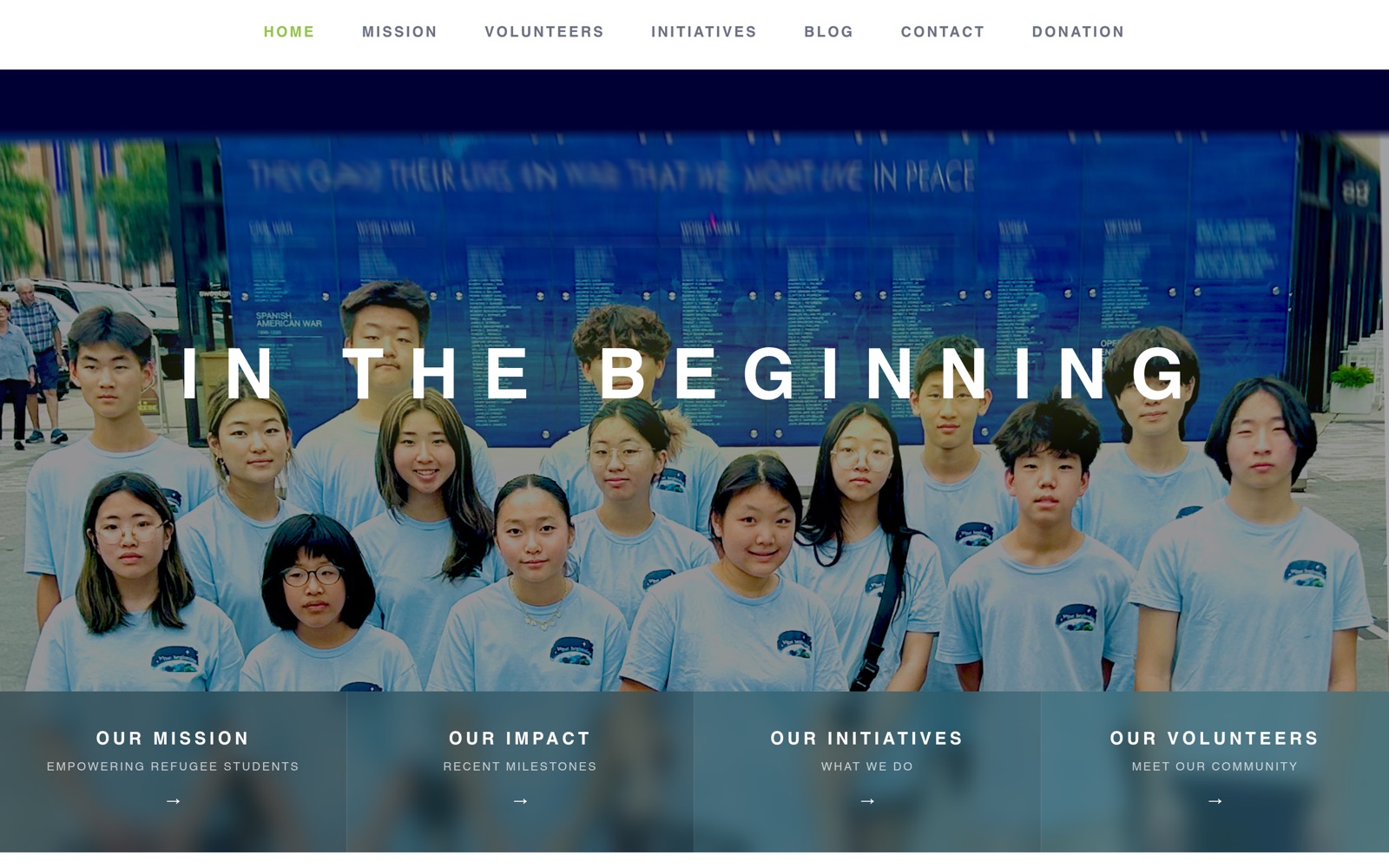
The site was taken offline at the organization's request following internal changes on their side. The build and its administrative tooling are unaffected; the capture below is the site as delivered.
The brief
A student-led nonprofit supporting refugee and displaced youth. The brief was a public site that carries the organization's work with dignity, paired with administrative tooling its volunteers could run themselves — roster management, an editorial pipeline, and intake, all without a developer in the loop.
Built with
- Next.js 16
- TypeScript
- MongoDB
- Cloudflare R2
- Tailwind CSS
- Vercel
Colophon
Interface
Next.js App Router and React server components, typed end to end with TypeScript. Layouts composed in Tailwind, tuned by hand for legibility at every breakpoint.
Data layer
A MongoDB cluster backs the roster, editorial, and settings collections. Mutations run as server actions, so privileged logic never reaches the browser.
Media
Portraits and cover art are normalized in the client — scaled to a consistent crop before upload, at no per-image cost — then written to Cloudflare R2 object storage and served from its edge. No third-party image host in the path.
Access control
The control panel is gated by an HMAC-signed session cookie, verified server-side on every privileged action rather than trusted from the client. No third-party auth vendor in the dependency graph.
Correspondence
Application, approval, and editorial notifications are delivered through a transactional mail service on a branded template.
Operations
Continuously deployed to a global edge network, with a publishing freeze that lets the team stage roster changes without touching the live site.
The organization
In The Beginning is a student-led 501(c)(3) in the Chicago area, tutoring refugee and displaced students in English, science, and math, and offering music and string-instrument instruction alongside mentoring. It is run by high schoolers — the founder and president was still in high school through this engagement — which is exactly why the gap between what the organization needed and what it could maintain was so wide.
The problem
The volunteer program ran the way most student-led nonprofits run: spreadsheets, email threads, and a public roster assembled by hand. There was no single system for intake, review, or publishing, and nobody on staff whose job was to run one. Anything that required a developer to operate would be abandoned the moment the person who built it graduated.
What it does
Volunteers apply through a multi-step public form with server-side validation, rate limiting, and duplicate detection. Applications enter a review queue; nothing reaches the public roster unreviewed. Profile edits from existing volunteers are staged rather than applied, so an administrator sees a clear diff before anything changes in public. Members submit written pieces through the same pattern, and an allowlisted set of editors publishes them.
Portraits are the part I'm most pleased with. Headshots arrive from a dozen phones at a dozen distances, and a roster where every face sits at a different scale looks careless no matter how good the underlying design is. Every image is normalized in the browser before upload — scaled to a consistent crop with the subject placed on a fixed line — so the roster reads as one set. It runs client-side at no per-image cost and with no third-party image service in the path. The public volunteer roster was the live output of that pipeline, not a mockup.
Impact
A fragmented manual process became a structured workflow for intake, roster management, and publishing — one that the organization's volunteers run entirely themselves. No ongoing cost, no manual image editing, and no dependency on the developer who built it.
Next project
Alloy Mentors
Run your program, not your paperwork.