 JPX product Calendar for Mac, iPhone & web
Ambry Calendar
Capture the moment. Keep the whole month in view.
- Scope
- Product, design & engineering
- Practice
- JPX product
- Delivered
- Early access
- Status
- In development
The brief
Adding an event while it's actually happening — a receptionist reading out a follow-up date, a friend texting a time — takes too many taps in every mainstream calendar, so it often doesn't get added at all. And once events exist, month views compress them into unreadable slivers. Ambry makes the fast-glance grid and the fast-entry mechanism the same interface, backed by real calendar sync.
Built with
- Swift
- SwiftUI
- React
- TypeScript
- Fastify
- Prisma
- PostgreSQL
- Ably
- Cloudflare R2
- ambrycalendar.com
Colophon
Three views
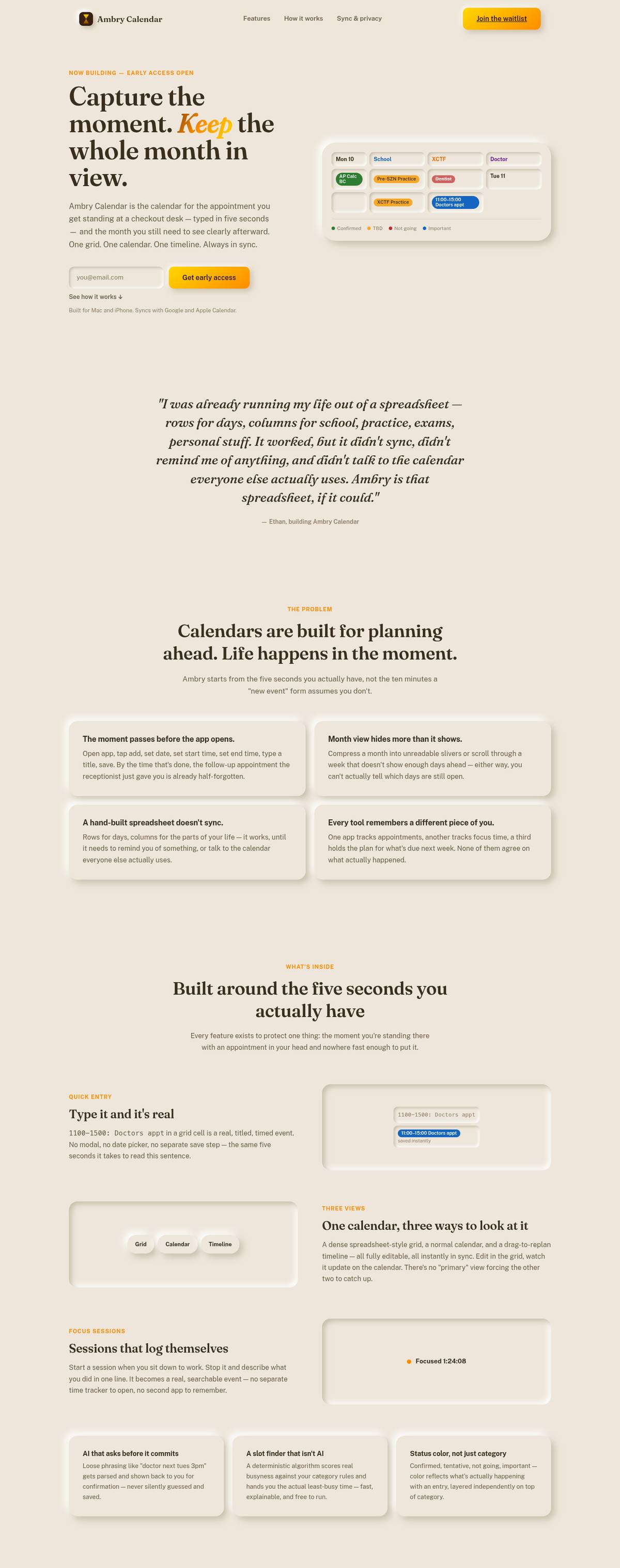
A spreadsheet-style grid, a week calendar, and a Gantt-style timeline are equal windows onto one event model. None of them is primary — an edit in any one updates the other two live, over a realtime channel.
Quick entry
Typing 1100-1500: Doctors appt into a grid cell is parsed deterministically into a timed event on that row's date. No modal, no date picker. Anything that isn't strict syntax is never silently guessed at.
Native
One SwiftUI codebase for Mac and iPhone, sharing models, networking, the design system, and every screen. The grid sits on a real scroll view for true two-axis pinch zoom; the Mac gets a floating glass view switcher, ⌘1–3, and trackpad panning.
Sync
Two-way Google Calendar sync, and Apple Calendar through EventKit. Categories travel as a plain-text tag, so they survive edits made in Google's own interface. Conflicts resolve last-write-wins — and the losing edit is shown to you, never silently discarded.
Scheduling
A least-busy slot finder that is deliberately not AI: it scores each day's density against per-category rules — allowed hours, buffers, excluded days — and explains why it picked the slot it did.
Operations
A Fastify and Prisma API on Postgres that rides out a sleeping database instead of surfacing errors, attachments in Cloudflare R2, and a server address the apps can be pointed at without reinstalling.
Try it
The whole product hangs on one interaction. Here it is, running the same parser the app uses.
Why a grid
Ambry started as a spreadsheet: rows for days, columns for the parts of a life — school, practice, appointments, personal. It worked better than any calendar app at the one thing calendars are supposed to do, which is showing you an open day at a glance. But a spreadsheet doesn't sync, doesn't remind, and doesn't talk to a real calendar.
So the grid became the product, and every cell became an input. A typed line is a real, timed event the moment you press return. Color carries status — confirmed, tentative, not going — rather than category, and a cancelled entry is struck through instead of deleted, so the history stays honest.
Native, on purpose
The Mac and iPhone apps are SwiftUI rather than a wrapped website, because the details that make a calendar feel fast — real pinch-to-zoom on the grid, trackpad panning, keyboard switching between views, system Face ID lock — only exist natively. A full React web app talks to the same backend, so nothing is lost by opening it in a browser instead.
Shipping in public
Ambry has gone from an empty repository to a native Mac and iPhone app, a web app, and a live marketing site, across more than twenty versioned releases — each one logged in a changelog the app itself reads to show what's new.
Next project
Blockwork One
Your start, measured.